This post originally started as a 2016 case study about how I increased my blog traffic by 203.54% with Pinterest.
And while I still love a good dramatic blog traffic number, a lot has changed since then.
Pinterest has changed. Blogging has changed. The courses and tools I use have changed. The way I think about Pinterest as a blogger has changed, too.
So instead of leaving this post sitting here with broken links and outdated resources, I’m giving it a much-needed update with the Pinterest course and tools I’m actually using now to grow my blog traffic more strategically!
These days, I’m less interested in random pinning, follower counts, or “just make pretty graphics” advice. I want to know what people are actually searching for, which posts are worth updating, what seasonal content I should be planning ahead for, and how I can use Pinterest to send more people back to my blog.

Why I Still Care About Pinterest for Blog Traffic
Back in 2016, I saw a 203.54% increase in Pinterest clicks after learning how to use Pinterest more intentionally. I’m not sharing that number as a “you’ll get this exact result” promise, because honestly things have gotten a whole lot harder (and a whole lot more long-game) on Pinterest over the last 10 years.
I’m sharing it because that was the moment I realized Pinterest was not just another social media platform for bloggers. It was a search tool, a traffic driver, and a huge part of how people were finding my content.
There’s also that whole “don’t put all your eggs in one basket” saying. And I’m pretty sure anyone who put all of their eggs in Google’s basket has been kicking themselves since Google basically gave the middle finger to smaller content creators with the first Helpful Content Update rollout.
I’m not saying I don’t get any traffic from Google, because I do. And I’m not saying things haven’t improved somewhat since the roughest parts of those algorithm updates, because they have.
But there were bloggers and website owners getting thousands of pageviews a day from Google who were absolutely decimated overnight. Some had their traffic cut in half. Some lost even more than that.
As us Minnesotans say: oof dah.
That’s one of the reasons I still care so much about Pinterest.
Pinterest has always been a place people go for inspiration, especially in the crafts, DIY, home, recipe, and creative niches. I was a Pinterest user long before I ever started using it to promote my blog posts. Remember when you had to request an invite to join? Man, those were the days. 🙂
And while Pinterest has definitely changed, it still has something I love: content can keep working long after you publish it.
Not only do I consistently get traffic from new pins I create, but I still get traffic from pins I made YEARS ago.
Talk about passive traffic!
What Has Changed Since I First Wrote This Post
In the 16 years I’ve been on Pinterest, things have changed DRASTICALLY.
And it’s so important that you don’t accidentally shoot yourself in the foot, for lack of better words. If you’re still using Pinterest like you did 10 years ago (heck, even 3 years ago!) you’re probably going to feel like you’re treading water and getting nowhere.
Or worse, you could get caught up in their spam filter.
Yikes!
When I originally wrote this post, Pinterest keyword research wasn’t even really a thing. Now? I truly don’t think you can succeed on Pinterest without it.
Things have also gotten a lot more involved. Gone are the days of pinning one pin and repinning it until the cows came home. Pinterest wants fresh content now, and honestly I think that’s a good thing.
It means we have to be more intentional. We have to understand what people are actually searching for, create pins that match that search intent, and pay attention to what is working instead of just throwing pins into the universe and hoping for the best.
Thankfully, people way smarter than me have created some incredible tools and courses to help bloggers succeed on Pinterest without spending HOURS trying to figure it all out manually on their own.
That’s why I’m constantly educating myself on Pinterest updates, keyword research, and best practices.
Enter my FAVORITE Pinterest courses for exactly that from Levee Road Studio!
The Pinterest Courses I’m Using Now
I originally found Amy from Levee Road Studio during one of my many “okay, what is Pinterest even doing now?” research spirals.
I stumbled onto her free 2026 Pinterest Strategy Guide course, and it was packed with so many little gems and behind-the-scenes tidbits that I immediately knew she was the real deal.
When I saw that she had more in-depth paid courses, I have never clicked “buy” on a blogging resource so willingly!
I learned about so many things happening on Pinterest that I had no idea existed. Interest pages? Ranking colors? Cloaked keywords? What is even that?
Amy goes incredibly in-depth, but in a way that actually makes sense. You can tell she understands the inner workings of Pinterest and isn’t just repeating the same tired advice we’ve all heard a thousand times. She explains why things work, what Pinterest is looking for, and how to use that information to make smarter decisions with your pins, boards, profile, and website.
I also really appreciate that her courses are updated regularly, because Pinterest changes fast. Like, “I just learned this and now there’s already an update” fast.
For me, Levee Road Studio has become one of my favorite resources for learning Pinterest strategy in a way that feels current, practical, and actually doable.
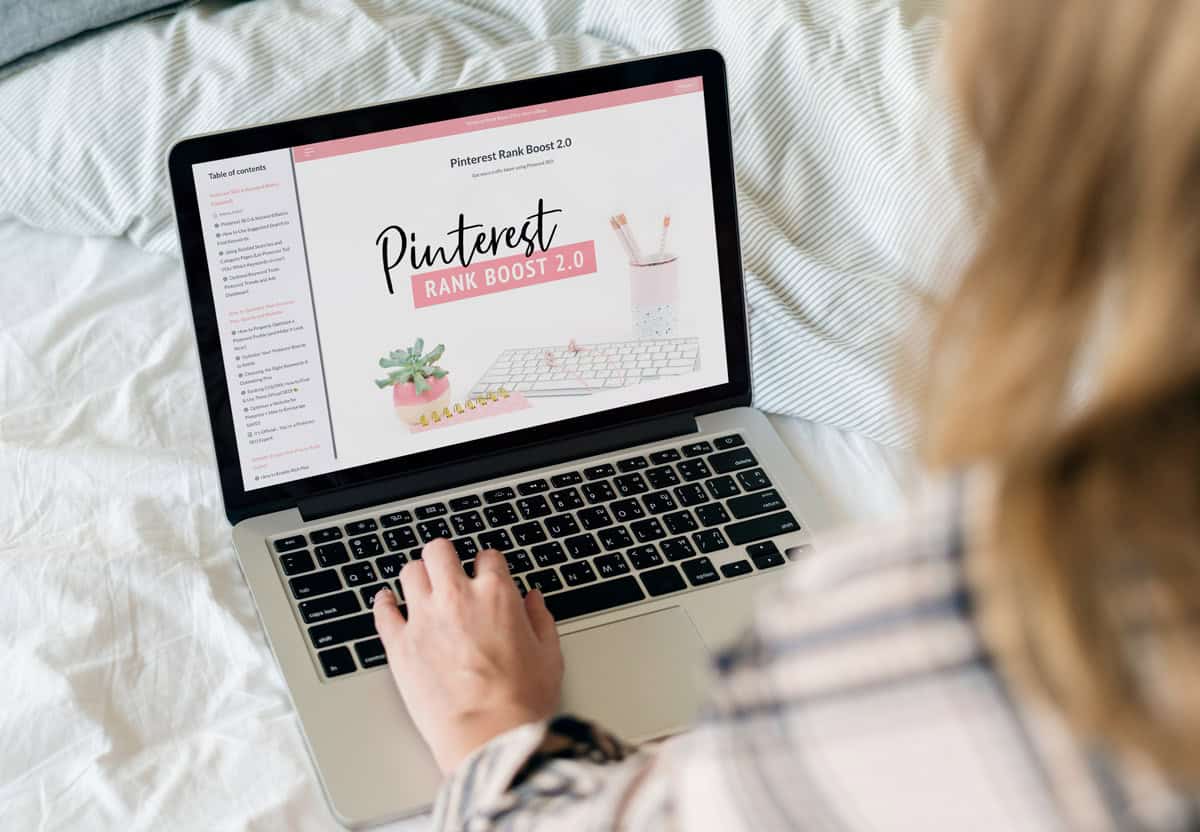
Pinterest Rank Boost 2.0
The first paid course that I took from Amy was Pinterest Rank Boost 2.0, and if Pinterest SEO makes your brain want to turn to mush, this is the one I would start with.
Pinterest is not just about making pretty pins anymore. Your pins need to be searchable, your boards need to make sense, your profile needs to tell Pinterest what you’re about, and your website needs to support the whole thing.
Pinterest Rank Boost 2.0 helped me understand how all of those pieces work together.
The course covers:
- Pinterest SEO
- keyword research
- board and profile optimization
- pin optimization
- visual SEO
- rich pins
Plus how to use Pinterest’s own search clues to choose better keywords. It also includes a Pin Inspector tutorial, which I loved because Pin Inspector has been one of my favorite tools for researching keywords and seeing what is already working over the last few years.
What I appreciated most is that it did not just tell me to “use better keywords” and then leave me to figure it out. It gave me a clearer process for finding those keywords, using them intentionally, and giving my pins a better chance of ranking.
If you are a blogger who has been pinning randomly and hoping for the best, this course is a really helpful place to start.
Pinterest Rank Boost 2.0
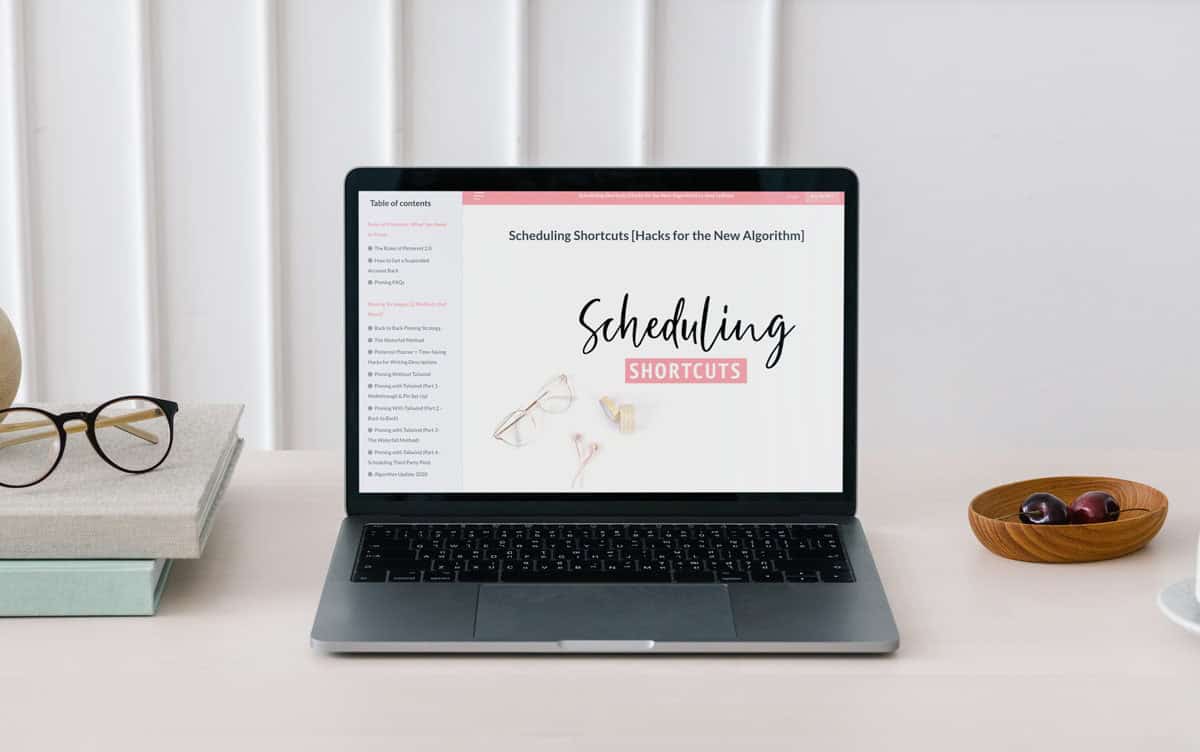
Scheduling Shortcuts
Now let’s talk about my favorite Levee Road Studio course: Scheduling Shortcuts.
And when I say favorite, I mean this is the one I keep going back to over and over again. I dare say it might be the be-all, end-all of Pinterest courses.
If Pinterest Rank Boost 2.0 helped me understand Pinterest SEO better, Scheduling Shortcuts helped me understand how to actually pin in a way that makes sense for the current Pinterest algorithm.
If you’ve ever wondered:
- How often should you pin?
- How many pins can go to the same URL?
- Should you use Tailwind?
- Can you pin without Tailwind?
- What happens if your account gets flagged?
- How do you avoid looking spammy?
- How do you create enough fresh pins without wanting to throw your laptop directly into the sun?
Scheduling Shortcuts goes DEEP into all of that.
This course covers things like the current “rules” of Pinterest, updated pinning strategies, URL spacing, Tailwind workflows, pinning without Tailwind, CSV scheduling, interest targeting, account optimization, traffic drops, algorithm volatility, third-party pins, and basically what to do when Pinterest is being Pinterest.
And if you’ve been on Pinterest for any length of time, you know exactly what I mean by that. 😉
What I love most is that it’s not just theory. It’s full of actual systems, examples, updates, shortcuts, spreadsheets, workflows, and little gems that make you go, “Wait. Why did no one explain it like this before?”
It helped me stop thinking about Pinterest as “make pin, publish pin, hope for the best” and start thinking about it as an actual system.
And as someone who is trying to grow my blog without spending five hours a day on Pinterest, that is exactly what I needed.
Is it an investment? Yes. But if you are monetizing your blog in any way (ads, affiliates, sponsored content, products, anything) I truly think this course has the potential to pay for itself tenfold by helping you use Pinterest more strategically and save hours of time.
If you are overwhelmed by the logistics of Pinterest, not just the keywords but the actual “what do I pin, where do I pin it, when do I pin it, and how do I keep up with this?” part, Scheduling Shortcuts is the course I would recommend most.
It’s comprehensive, detailed, and packed with so many practical gems that I genuinely think it is one of the best Pinterest resources I have purchased!
Scheduling Shortcuts
The Pinterest Keyword Tools I Use
PinClicks
PinClicks is one of the tools I use most for Pinterest keyword research.
Basically, it helps me see how people are actually searching on Pinterest instead of just guessing and hoping I picked the right words. I use it to find related search terms, keyword variations, and different ways people might be looking for the same type of content.
This is especially helpful when I’m planning new blog posts, updating old posts, or trying to write better pin titles that match what people are already searching for.
One of the most powerful features is the Interest Explorer, which gives you access to official Pinterest interests. And not just a handful of broad categories like “home decor” or “recipes.” I’m talking super specific, niche topics that can help you understand how Pinterest is categorizing content and where your ideas might fit.
For a craft and DIY blogger, this is huge.
PinClicks also has a competitor and account explorer which lets you look at other accounts, track top pins, and see what seems to be performing well in your niche. This is not about copying people. It’s about spotting patterns, seeing what Pinterest is rewarding, and using that information to make smarter decisions for your own content.
I also love that it has rank tracking, because Pinterest search suggestions and keyword rankings can change over time. Instead of checking everything manually and wondering if I’m imagining things, PinClicks can help track those changes so I can see what is moving, what is sticking, and what might be worth paying attention to.
It does have a monthly cost, starting at $29/month, with higher-tier plans if you want more robust rank tracking and custom list features. So yes, it is another blogging expense. But if Pinterest is part of your traffic strategy, and especially if your blog is monetized with ads, affiliates, sponsored content, or products, this is the kind of tool that can help you make much more intentional decisions.
Pin Inspector
Pin Inspector is what I use when I want to dig a little deeper.
While PinClicks helps me with keyword research, Pin Inspector helps me look at what is already working on Pinterest. I use it to research pins, accounts, boards, and content ideas so I can spot patterns instead of just guessing.
It’s really helpful for finding inspiration, seeing what kinds of topics are getting traction, and validating whether a blog post idea has Pinterest potential before I spend hours creating content around it.
One of my favorite features is the annotation tool, which shows how Pinterest is categorizing certain pins. Basically, it gives you a peek at the tags and topics Pinterest may be assigning to your content, which is so helpful because sometimes what you think your pin is about and what Pinterest thinks your pin is about are not exactly the same thing.
And if you have ever had Pinterest completely misunderstand a pin, you know how helpful that can be!
Pin Inspector also has a keyword generator that pulls suggestions from Pinterest search and lets you filter through them in a much more detailed way. I love this because Pinterest keyword research can get very rabbit-hole-y very fast, and this makes it easier to find keyword ideas without manually typing every possible variation into the search bar.
Another feature I appreciate is the cross-platform lookup. You can take a keyword and check how it is showing up on other platforms like Google Trends, Etsy, eBay, and Amazon. For me, that is really helpful when I’m trying to figure out whether an idea has life beyond Pinterest, especially for DIY, thrift, craft, seasonal, and affiliate-friendly content.
I also really like that Pin Inspector is a one-time software purchase instead of another monthly subscription. The amount of monthly tools and subscriptions you can accidentally collect as a blogger? Terrifying.
How I Use These Together
My basic process now is pretty simple:
I usually start with either a blog post I want to update or a new content idea I’m thinking about creating. From there, I use PinClicks to research Pinterest keywords and see the different ways people are actually searching for that topic.
Then I’ll use Pin Inspector to peek at what kinds of pins, titles, topics, and content angles are already performing well. Not to copy anyone, obviously, but to understand what Pinterest seems to be connecting with that topic.
Once I have a better idea of the keywords and angles, I’ll go back to the blog post and update what needs to be updated. Things like headings, internal links, affiliate links, and any sections that could be more helpful.
Then I create fresh pins with titles that actually match what people are searching for, schedule them out, and keep an eye on what is earning outbound clicks.
Basically, I’m trying to stop guessing and start making Pinterest decisions based on actual clues.
Final Thoughts: Pinterest Still Works, But I’m Using It Differently Now
So, yes. This post has officially had its “it’s not 2016 anymore” makeover.
Pinterest is still a huge part of how I think about blog traffic, but I use it very differently now than I did when I first wrote this post. I’m not just brainstorming, pinning, and crossing my fingers. I’m researching keywords, looking at what is already working, updating old posts, and trying to be much more intentional with the pins I create.
Right now, Levee Road Studio’s Pinterest Rank Boost 2.0 and Scheduling Shortcuts courses are the main resources I’m using to guide my strategy, and PinClicks and Pin Inspector are the tools I use when I want to dig into keywords, search trends, and what people are actually clicking on.
If you’re a blogger who has been ignoring Pinterest, pinning randomly, or staring at old blog posts wondering if they still have any life left in them, I get it. I have plenty of those posts, too.
But Pinterest can still work! It just works better when you stop guessing and start treating it like the search platform it is.